Help without a click
If you turn it on, the panel searches your documentation by itself a few minutes into the call. Your standard questions sit above it, one at a time.
Question 3 of 10
Are you on the office network or at home?Get the answer from your own documentation while the call is still going, and the ticket written when it ends.
Sammera hears the call through the computer's audio, so there is no phone system to integrate.
Import Word, PDF and PowerPoint files, or exports from OneNote, Confluence and Notion.
The summary is ready to paste. Sammera never writes to your systems.
A desktop app for Windows. It understands calls in Swedish today, and English is next.
Both sides of the call are transcribed as they speak, your microphone and the caller separately. The panel does the rest.
If you turn it on, the panel searches your documentation by itself a few minutes into the call. Your standard questions sit above it, one at a time.
One click searches your documentation and returns the steps to take. Every step names the page it came from.
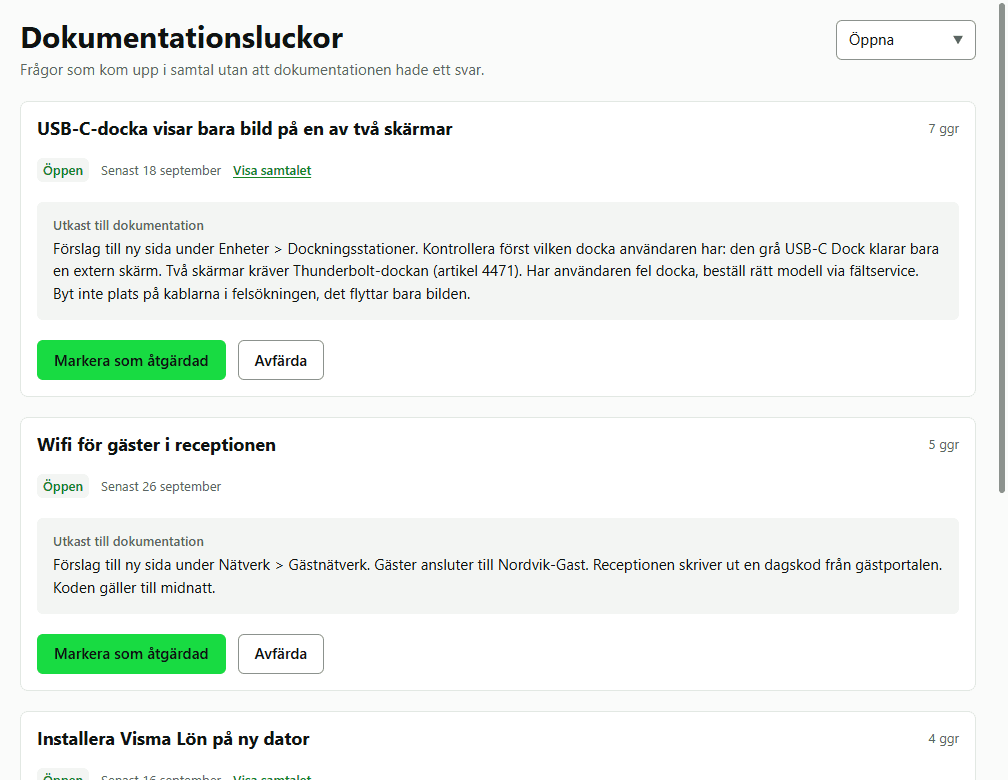
When nothing in your documentation covers the question, the panel tells you instead of guessing, and saves the question as a gap.
Nothing covers this, so there is no guess. The question is saved as a gap.
Describe the gapWhen the call ends, a summary and a draft for your ticket or CRM are ready to copy.
A question without an answer does not disappear when the call ends.
Export it from where it lives today and import the files. Nothing needs to be rewritten first.
Passwords, IP addresses, email addresses and phone numbers are taken out before anything is saved, so they never reach the AI.
An editor with version history. Restore any earlier version of a page.
You choose whether agents may edit, or only suggest changes for a lead to accept.
The questions and the documentation are yours, so Sammera follows the way your team already takes calls.
The panel always shows whether it is listening, and what is kept is your decision.
A seat is a person who uses the app on calls. Admins who only manage the team do not need one.
Sammera's AI is included in the trial. No card needed.
Everything included, nothing to set up.
499 krper seat and month
For organisations that already have an AI agreement.
249 krper seat and month
Prices exclude VAT and are invoiced monthly. Teams that join the pilot pay 249 kr per seat for Sammera AI during their first 12 months. See everything about pricing
We are building Sammera together with the teams that use it. Join the pilot, tell us what works and what does not, and help decide what comes next.
No, not by default. The call is turned into text. Audio is kept only if your organisation turns it on, and then for seven days at most.
Any softphone that runs on the computer. Sammera hears the caller through the computer's audio and you through your microphone, so nothing is connected to the phone system itself.
Export it from where it lives and import the files: Word, PDF, PowerPoint, OneNote, Confluence, Notion, Markdown or HTML. You can also write and edit it in Sammera.
Calls in Swedish today. English is next. The app and the website are in both languages already.
Yes. Your organisation tells callers at the start of the call that it is transcribed, and is responsible for doing so lawfully.
Sammera's AI pauses until you choose a plan or connect your own AI. Your documentation, calls and settings stay where they are.